ysa-lds.org
How people agree to texts
This page sets out the complete consent experience for the Ward Appointments text messaging programme operated by ysa-lds, llc: who is asked, the exact words they are shown, and a screenshot of each screen.
It exists because the two screens themselves sit behind a ward's own access question. Ward Appointments is used by the members of one congregation, not by the public, so those pages are not open to everyone — which is why the consent experience is reproduced here in full instead.
The programme in one paragraph
Around a booked appointment with a bishop, ysa-lds, llc sends a small number of transactional text messages: a one-time verification code and one reminder to the member who booked, and one check-in afterwards to the ward's on-duty executive secretary asking whether the appointment happened. There is no marketing or promotional content of any kind.
1. A member booking an appointment
Where: the member opens their own ward's website — for example ysa40.wms.ysa-lds.org/website/ — goes to the Bishop page and taps Make an appointment. On the “Who are you?” step, after choosing their name, they are shown a checkbox that is unticked by default.
The exact wording of the checkbox:
Yes, text me a one-time verification code and an appointment reminder at the mobile number the ward has on file. Texts come from ysa-lds, llc at (839) 257-3962. Message frequency varies. Msg & data rates may apply. Reply STOP to opt out, HELP for help.
Directly beneath it, the page says: “Optional — without it, we'll email your code and reminder instead.” The wording links to the SMS terms and the privacy notice. A member who leaves the box unticked still books their appointment online and is never texted.
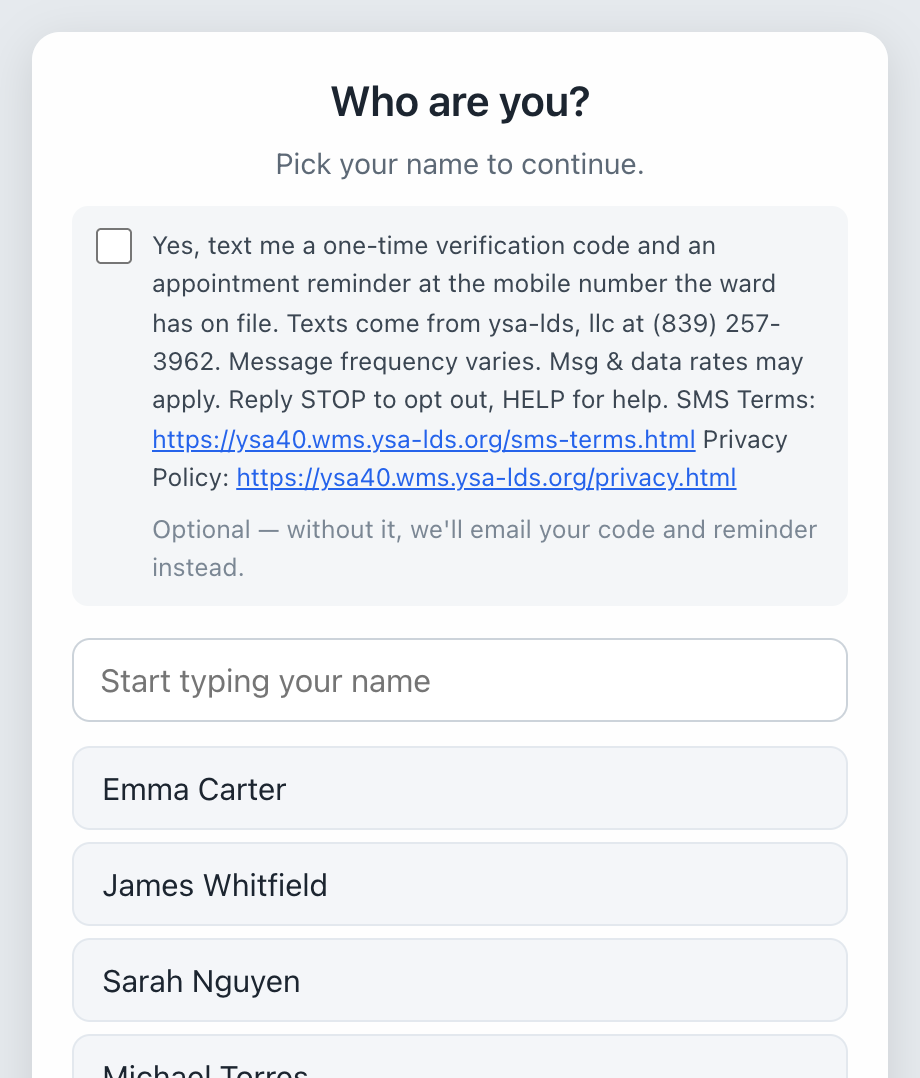
The member opt-in, as it appears on the booking page.
2. The ward's on-duty executive secretary
Where: the executive secretary — a volunteer ward leader — signs in to his ward's leader application, opens Mtgs w/ Bishopric, and taps Get these by text instead. A consent screen appears with a checkbox that is unticked by default, and he must tick it and press Agree.
The exact wording of the checkbox:
I agree that ysa-lds, llc may text me at [his number] from (839) 257-3962 while I am on duty, asking whether ward appointments took place, which I answer by replying Y or N. Message frequency varies: about one text per appointment while I am on duty. Msg & data rates may apply. Reply STOP to opt out at any time, HELP for help.
Without that agreement, the same check-ins are sent to him by email.
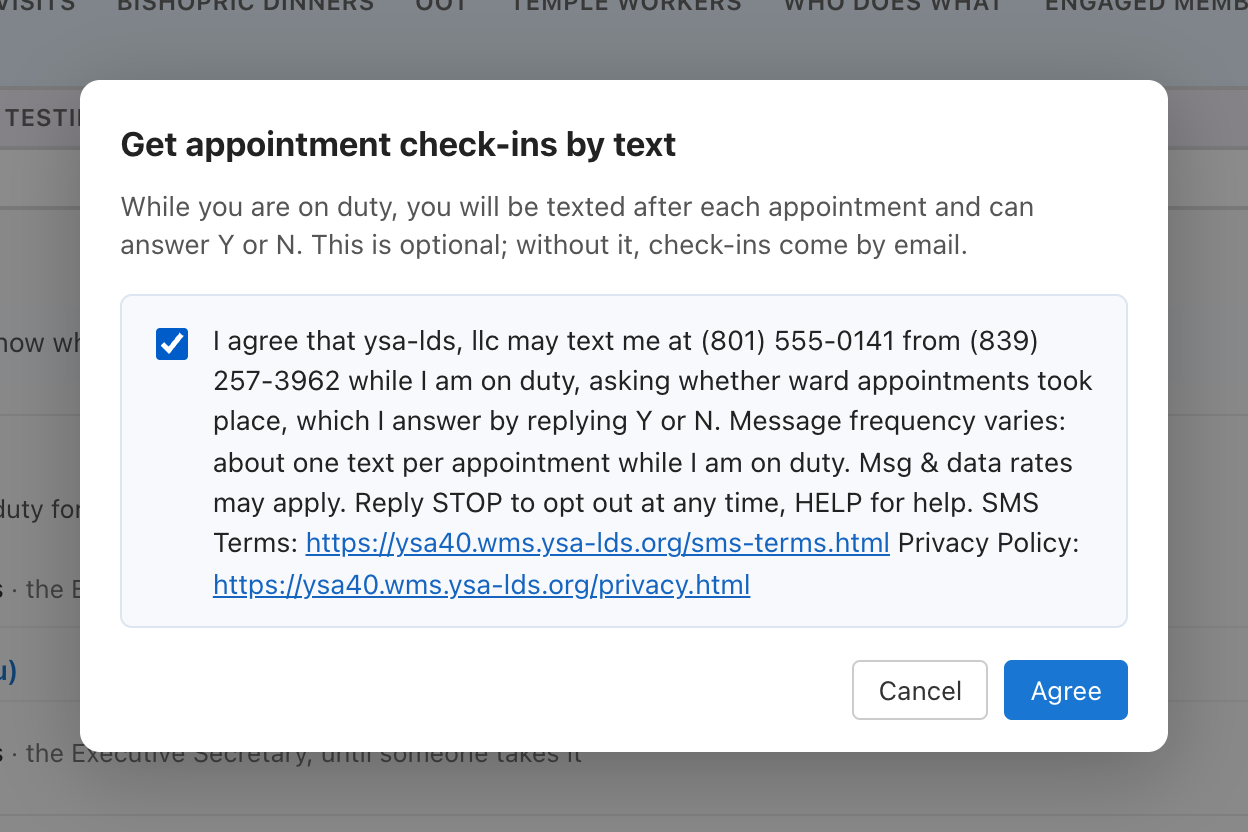
The executive secretary's consent screen.
What is sent
- Verification code — “ysa-lds, llc: [code] is your code to confirm an appointment with [bishop name] ([ward name]). It expires in ten minutes.”
- Appointment reminder — “This is a reminder of your appointment with [bishop name] on [date and time] at [location]. [instructions from the bishop]”
- Check-in to the on-duty secretary — “Did [member name] meet with [bishop name]? [appointment type], [date and time]. Reply Y if it happened or N if not.”
Opting out, and what we never do
- Reply STOP at any time to stop all messages; HELP replies with how to get help.
- Every agreement is recorded with the time, the number, and the exact wording shown.
- We do not share, sell, or provide mobile phone numbers or messaging consent data to third parties or affiliates for marketing or promotional purposes.
- There is no marketing or promotional messaging in this programme at all.
Getting in touch
Questions about the messaging programme go to support@ysa-lds.org.